For about ten years, I’ve been adding a simple WordPress admin bar utility to the websites I work on. It’s a simple text entry field that allows you to jump directly into editing any ID-based item just by typing the ID and pressing Enter.
The challenge I faced
Some sites have posts or pages with very similar names. WooCommerce sites may have several duplicates of a given product, with different variations.
In these cases, the ID is always unique. The ID is the thing you can count on to reliably get you editing the proper item.
After working with a site for a while, you may start to memorize IDs, or maybe even have a little cheat sheet of the ones you work with the most. On many sites I work on, I’ll expose the WordPress post ID for items in HTML comments or data attributes so I can view the site source and quickly see which post ID a thing is related to.
Once you start looking at IDs, it helps to have a quick way to jump to edit an item by its ID. So, this little feature became a valuable power tool.
Quick Edit field, to the rescue!
Here it is! Quick Edit Post by ID (Admin Bar)
The entire plugin is just a few lines of code. It’s really quite simple. But it brings a lot of utility.
This plugin is handy for anyone who is working day-in and day-out on WordPress sites. E-commerce site merchandisers, content management teams, site admins, event staff… anyone interacting with existing posts often can benefit from this little addition to the WordPress admin bar.
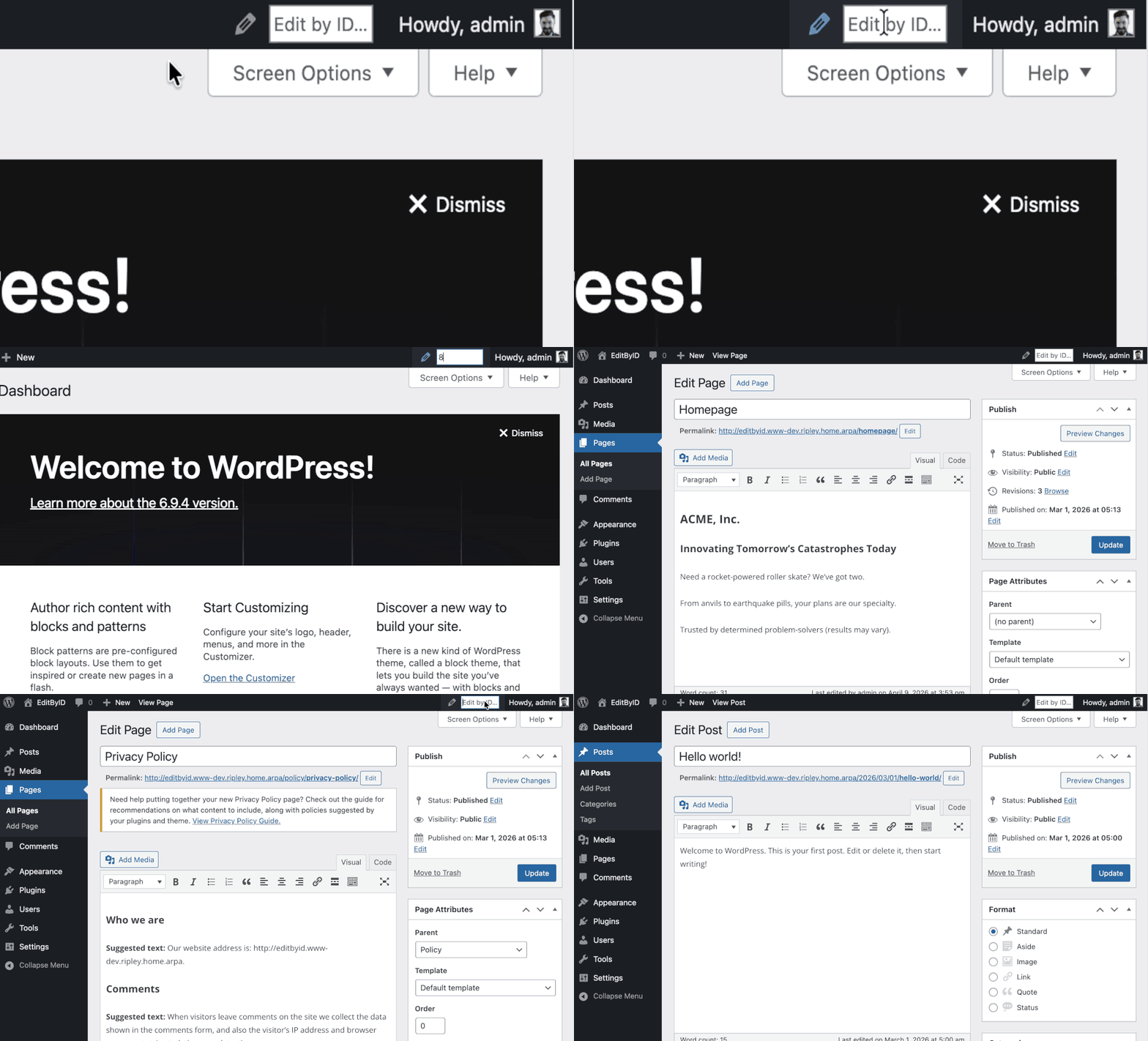
Here’s a brief demo of the plugin in action:
My first official WordPress plugin
I’ve been adding this plugin to sites manually for years. But recently, I wanted to learn how to become an official WordPress plugin author.
There was a lot to learn:
- Plugin naming conventions
- Licensing considerations
- Code validation and safety checks
- Packaging the plugin for review
- Communicating with the official plugin team
- SVN
- Making screenshots and animated example GIFs
- Making a good-looking Readme
It was a challenging process, and rather stressful from a personal aspect… exposing your private work to the world, having your code running in environments you can’t control and you haven’t ever seen… But I learned a lot in the last couple weeks and am very excited to see if anyone else finds this tool helpful!